Librevet Ortho 2D
Precision surgery, planned with confidence
Advanced orthopaedic pre-operative planning for small animal surgeons. Streamline your workflow with intuitive TPLO and fracture tools.
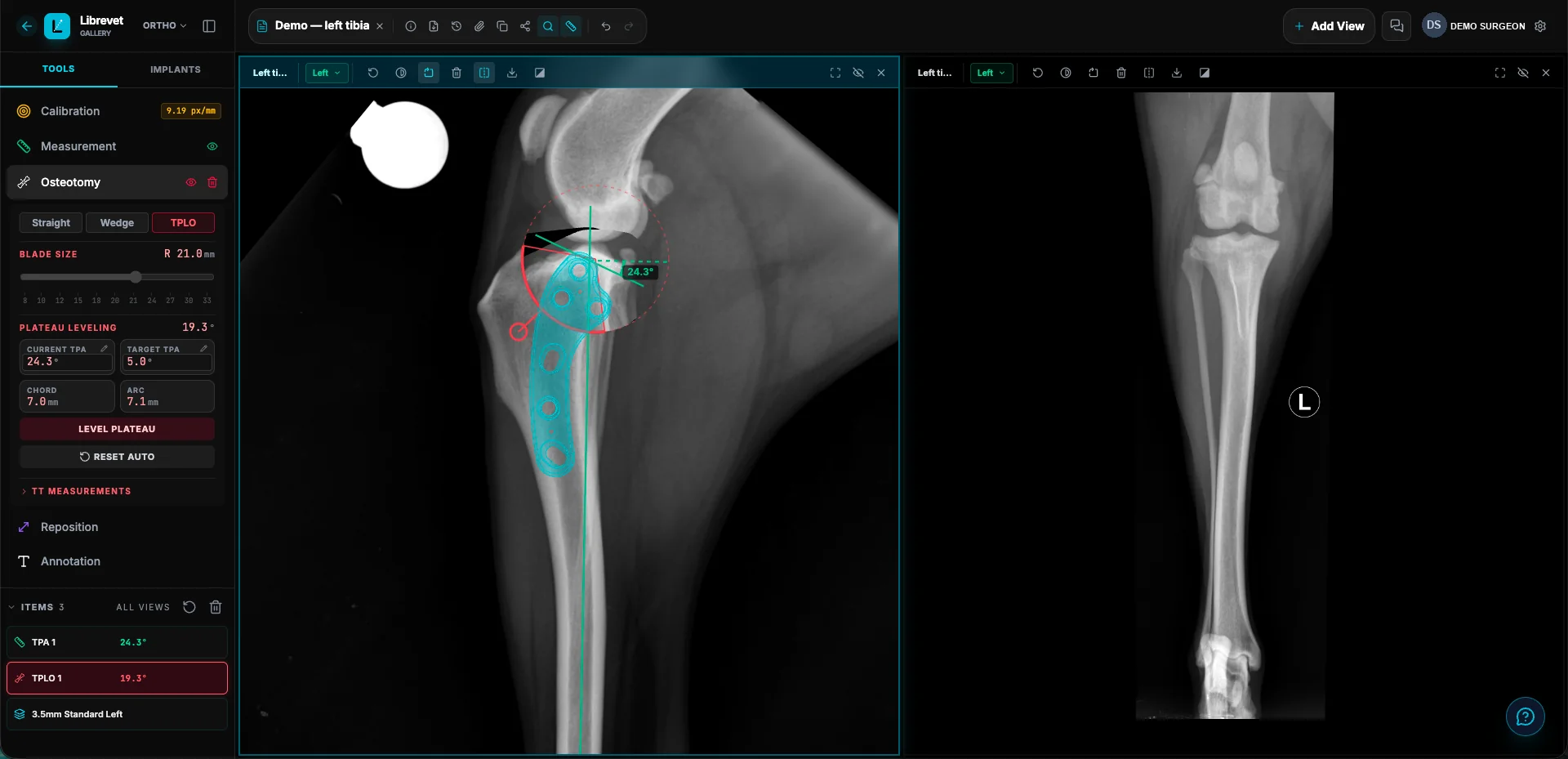
TPLO planning
Automated measurement tools for tibial plateau angle and precise plate placement visualisation for consistent outcomes.
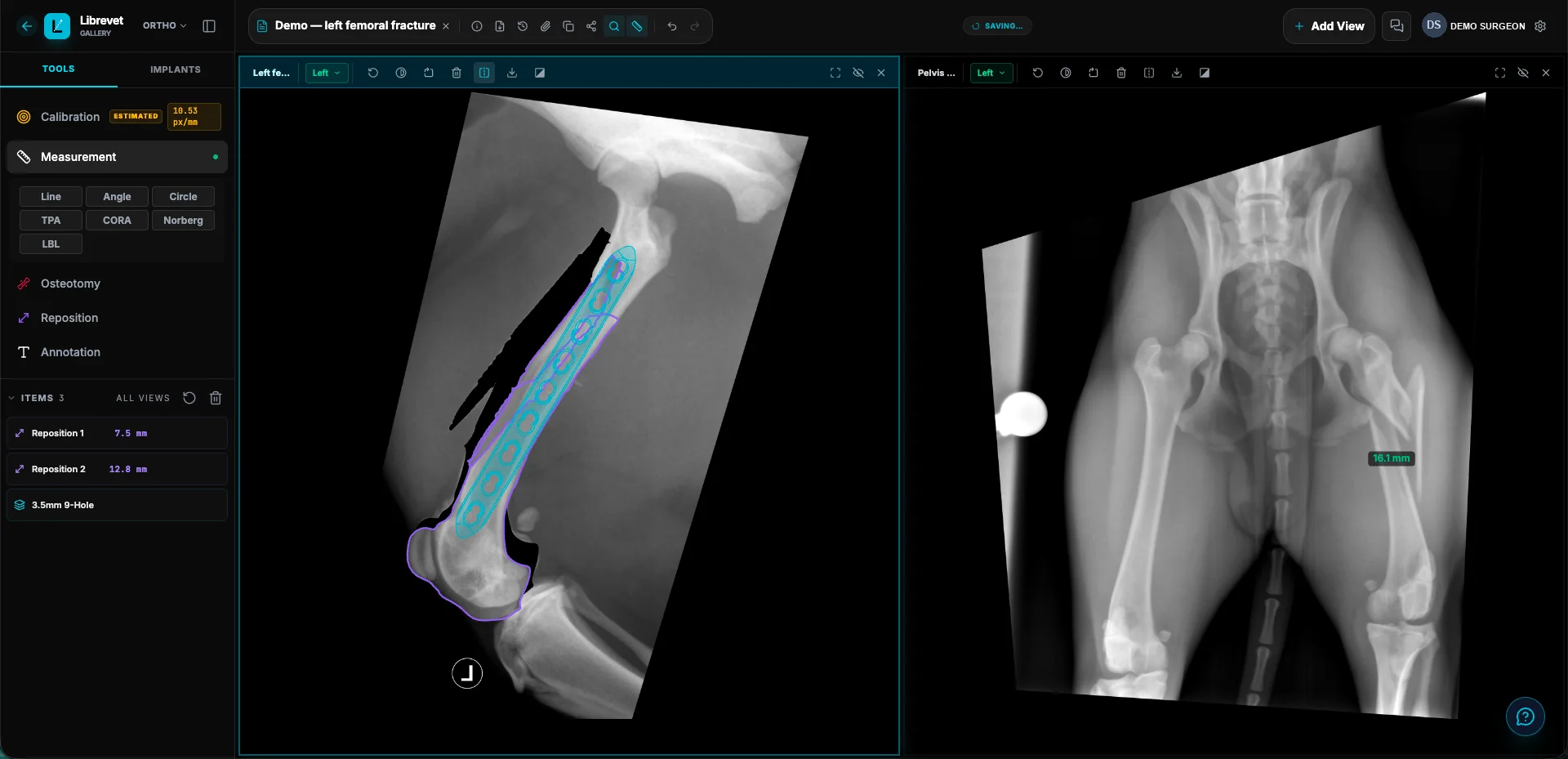
Fracture planning
Reposition the fragments, then lay true-to-scale plate templates over the result to see what will actually fit.
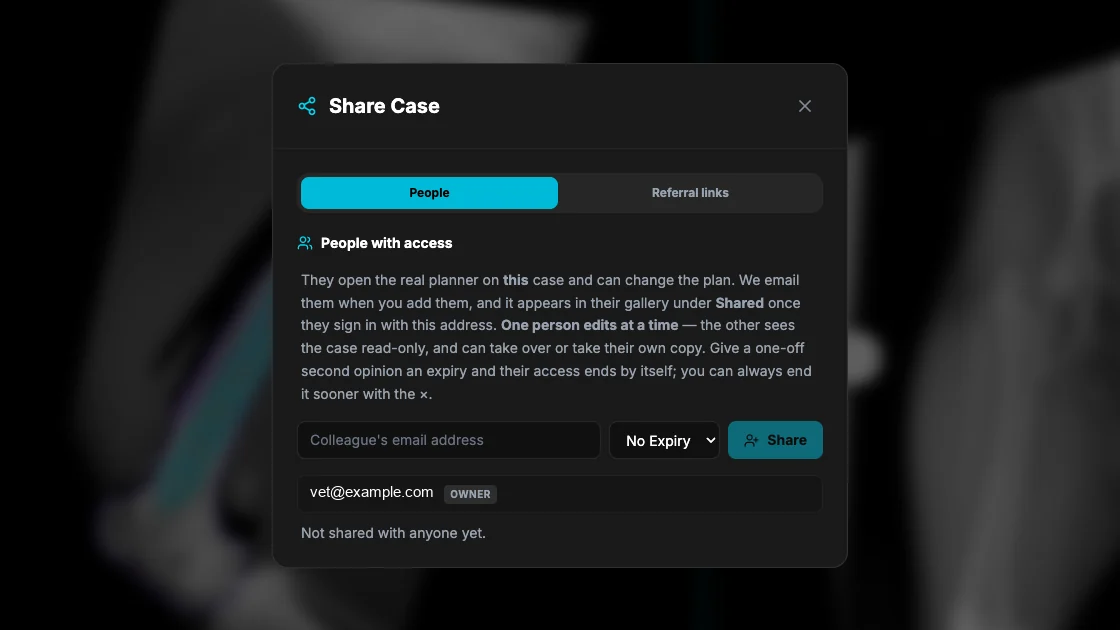
Secure case sharing
Collaborate with colleagues or referrers by securely sharing interactive plans without exporting heavy image files.
How it works
Upload your radiograph
Upload DICOM or standard image files directly in your browser. No software to install.
Calibrate and measure
Set your magnification marker, measure angles and distances with precision tools.
Plan, template, and share
Overlay implant templates, plan your approach, and share with colleagues instantly.
TPLO planning
Measure the tibial plateau angle in seconds, then visualise osteotomy positioning and plate fit days before you are in theatre. Planning output is only as good as the calibration you set, and every plan remains subject to your own clinical judgement.
- ✓ Automated TPA calculation and rotation angle tools
- ✓ Dynamic displacement simulation for osteotomy planning
- ✓ Manufacturer plate library, drawn to true mm and scaled to your calibration
Fracture planning
Visualise complex reductions with sophisticated digital templating. Easily manipulate bone fragments and iterate through multiple implant configurations to define the ideal fixation strategy before you enter the operating room.
- ✓ Move each fragment into reduction and read how far it travelled, in mm
- ✓ Plate templates drawn from the manufacturer's own dimensions, scaled to your calibration
- ✓ Filter by manufacturer, system and screw size to find the plate that fits
Secure case sharing
Professional collaboration shouldn't require clunky exports or massive email attachments. Securely share your interactive surgical plans with referral clinics, colleagues, or students through a simple, secure browser-based link.
- ✓ Send a read-only link — the vet at the other end needs no account
- ✓ Or name colleagues by email and work the case together, one editor at a time
- ✓ Label, expire or revoke any link the moment you want it back
Films can come straight from your X-ray console
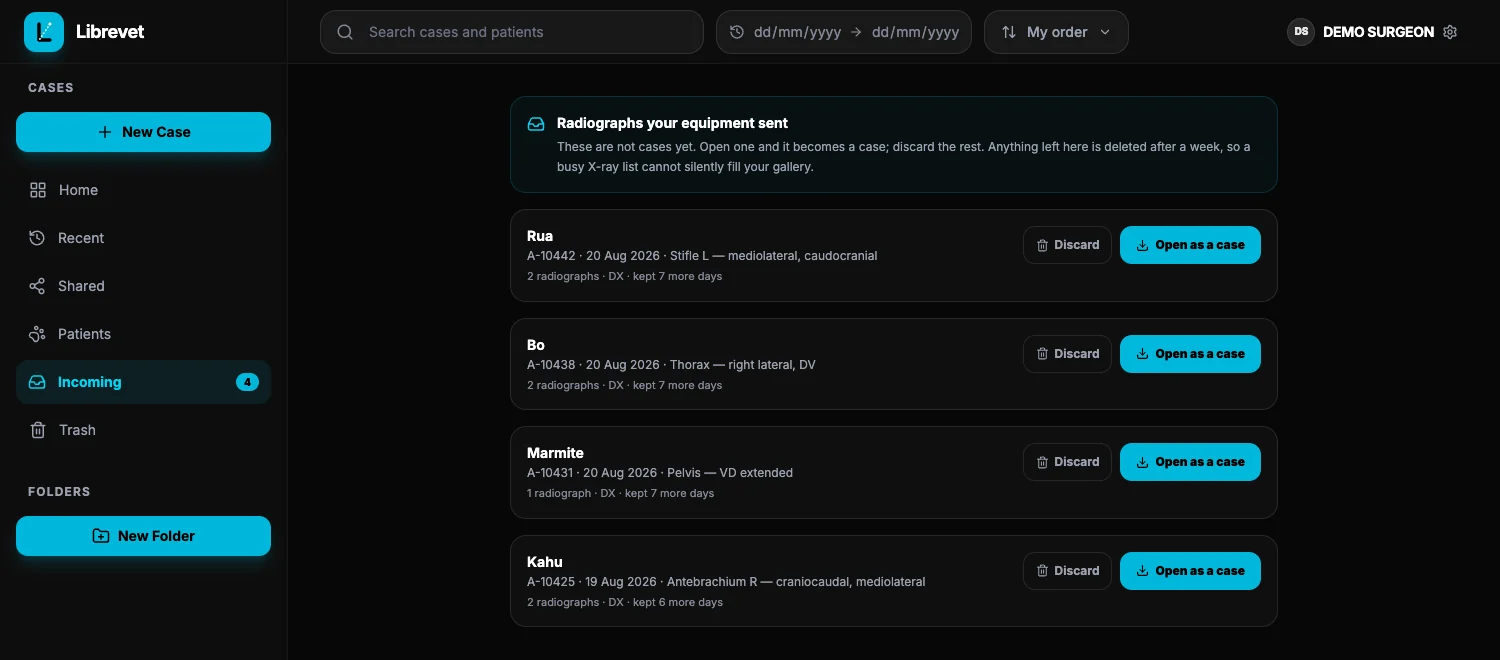
Point your equipment at Librevet and studies arrive by themselves — no exporting, no memory stick, no email to yourself. They wait in Incoming, where you open the one you are going to plan and discard the rest.
- ✓ Standard DICOM — your console already speaks it
- ✓ Arriving studies stay out of the gallery until you want one
- ✓ Anything you don't pick up clears itself after a week
Every case in one place
Cases live in your gallery with the patient, the client and the films, searchable and foldered — not scattered across a shared drive. Dark by default, because that is how a radiograph is read; light if you prefer it, from Settings.
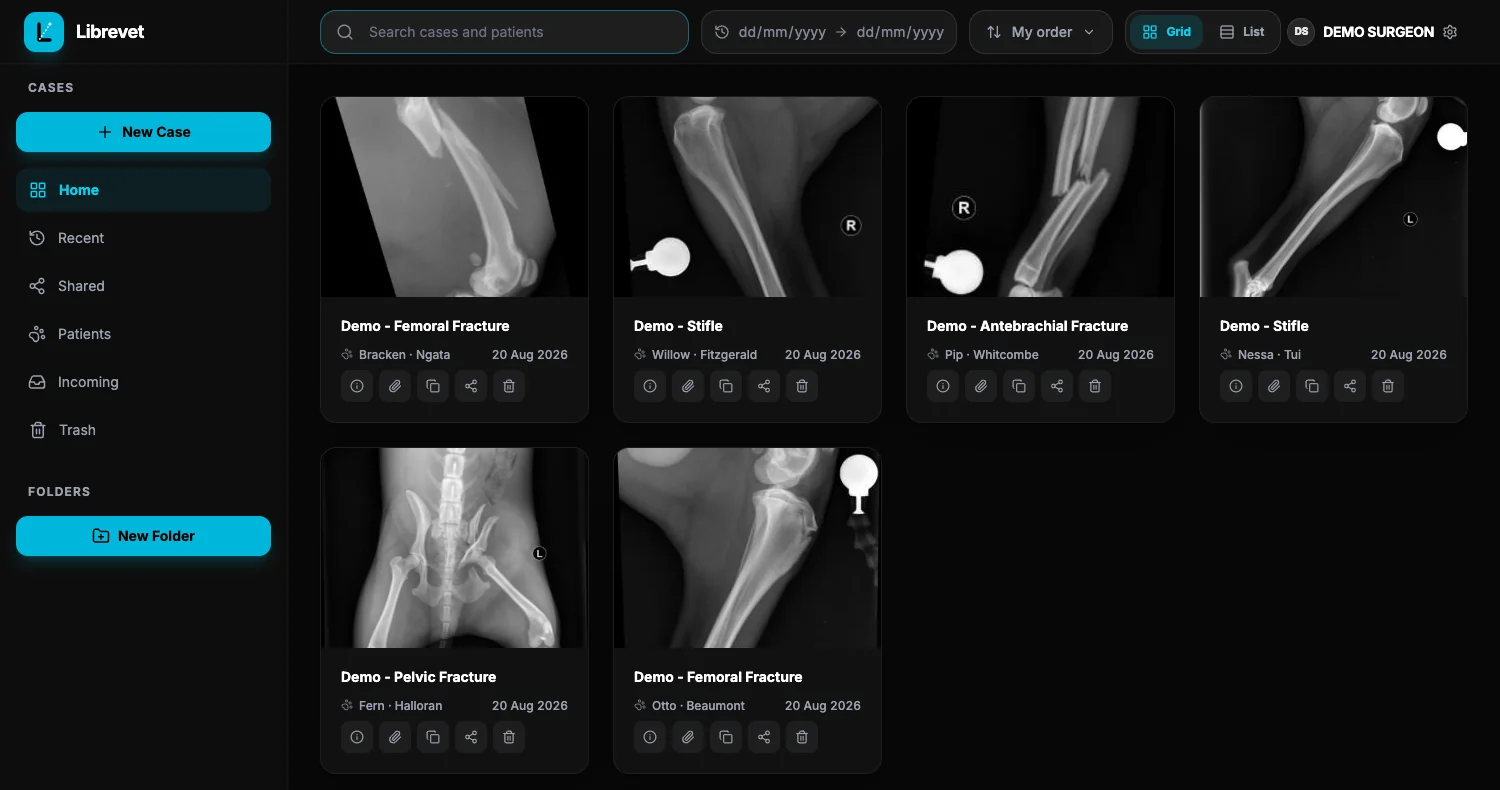
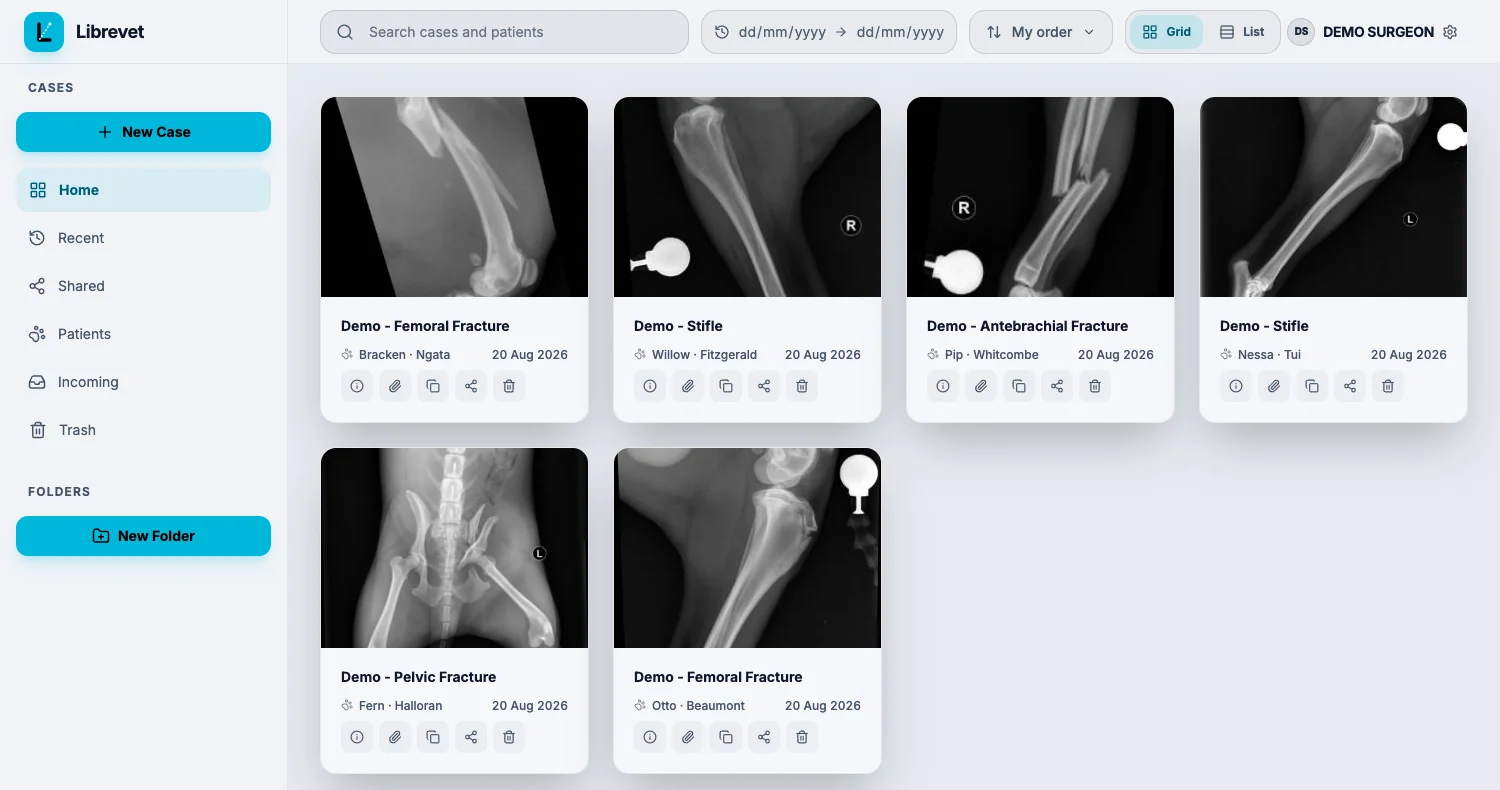
The films stay black in both. A radiograph is read on a dark ground whichever theme the rest of the interface is wearing.
Practice software
A connector is in development
Planning happens in Librevet. The patient file lives in your practice software. A two-way ezyVet connector is in development and has not been approved by ezyVet, so it is not something a practice can switch on today.
Nothing else is connected either. Instinct, Provet Cloud, Cornerstone and Covetrus are listed in the app as plain "ask us" entries, so nobody assumes their system is covered when it is not. A plan leaves Librevet as a Surgical Plan Report PDF, which is filed in the patient record the same way any other document is.
Built for orthopaedic surgeons
Librevet Ortho 2D is designed for veterinary surgeons performing orthopaedic procedures who want a modern, cloud-native alternative to legacy desktop software.
Librevet Ortho 2D is a planning aid and should not be used as a substitute for professional surgical training and judgment.
Start planning today
Librevet Ortho 2D is free to use and runs entirely in your browser.